Possible causes:
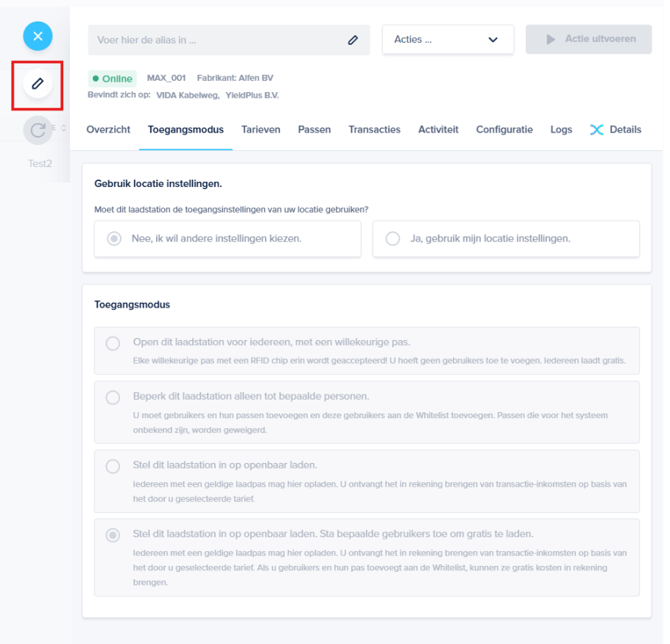
Click the pencil icon.
You don't have the necessary permissions
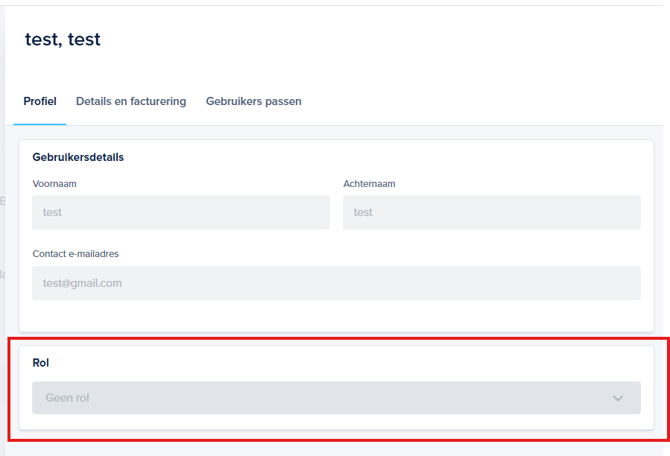
If the pencil icon isn't visible or clickable, check your role as follows:
- You need to click the pencil icon.
- You don't have the necessary permissions.
Click the pencil icon.
- Note that you almost always need to click the pencil icon
 first to adjust your settings.
 - After adjusting the setting, click the diskette
 icon to save the settings.
You don't have the necessary permissions
If the pencil icon isn't visible or clickable, check your role as follows:
- Click Users on the left.
- Click on your username.
- Under "Role," you can see your permissions. An Admin has all permissions within the organization except for adding charging stations. If you have a different role, for example, "Technical," you don't have all the permissions. Ask your administrator (your installer or employer) if they can help you adjust a setting or to add a charging station.