
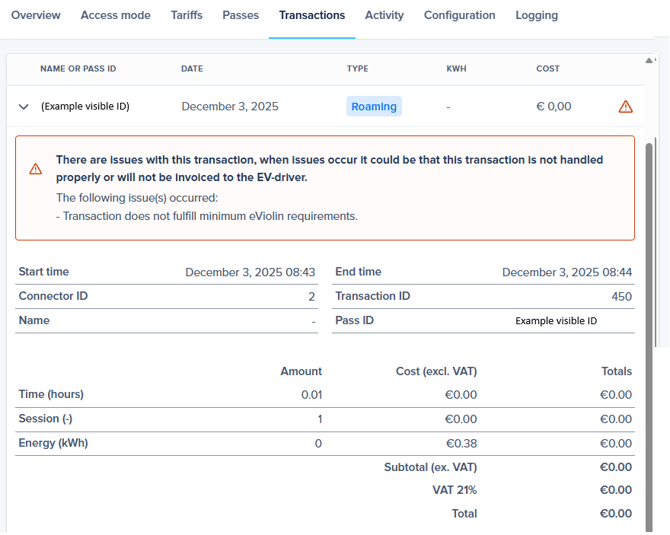
- The registered charging session volume is at least 0 kWh and no more than 350 kWh (this may be higher for truck charging).
- The charging session duration must be longer than 2 minutes OR the volume must be higher than 0.2 kWh.
- The card was scanned incorrectly or presented twice within a few seconds. This will not affect future transactions or the proper functioning of the charging station.
-
You incorrectly set the charger to Plug&Charge. It is possible to use roaming with a digital charging pass to circumvent using the RFID reader. The charger is set to always charge with this pass ID. For example for EVbox this is 'evb_autostart' and for Alfen this is 'PlugAndChargeIdentifier'. When a non existing charge card is filled in for this setting the charger will try to use roaming for a non existant charge pass. Charging will be blocked. Only use this setting if you know how to use it. Otherwise we advise to keep the Plug&Charge setting turned off.
- Data is missing or was not processed correctly during a charging session.
Want to investigate further? Check the charging station's logs:
- Check the Status Notifications to see if "SuspendedEVSE" or "SuspendedEV" appears first:
- "SuspendedEV": This is likely a problem with the vehicle—contact the manufacturer or dealer.
- "SuspendedEVSE": Then it's probably the charging station—contact your charging station supplier and share your findings.
- Check whether the StartTransaction and StopTransaction are following each other up very close together for shorter than 2 minutes.