
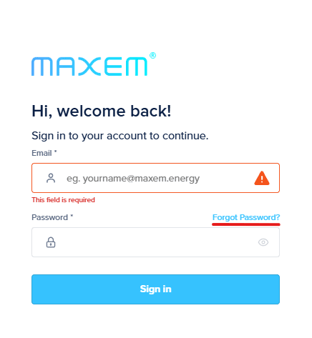
Anyone with an activated account can reset their password. Go to cloud.maxem.energy and click on 'Forgot your password?'
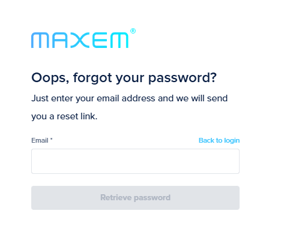
Then enter your email address and receive a link to reset your password.
Frequently Asked Questions
Do I have to be an admin to reset my password?
No, you don't have to be an admin.
I see the message "The email address or password or credentials you used is incorrect. Please try again.".
Try logging in with your password again. If it still doesn't work, click on "forgot password?" and reset your password.
It is the first time I am creating a password via a registration link. Sending my details is not working.
Make sure you enter the country code correctly. This is, for example, +31 for the Netherlands.
I get a notice I need to change my password, but saving and sending isn't working. What should I do?
If creating a new password is unsuccessful via the notification sent, return to the main page cloud.maxem.energy and follow the steps for forgotten password.