
Introduction
This article explains how to configure Socomec E48 kWh meters for Modbus TCP communication with Maxem’s Energy Controller.
Preparation
A smooth installation requires proper preparation. Before configuring the Socomec E48 kWh meter, both the kWh meter and Maxem’s Energy Controller must be successfully installed to ensure proper communication between the meter and the controller.
Configuration steps
The meter is configured using the following onscreen configuration:
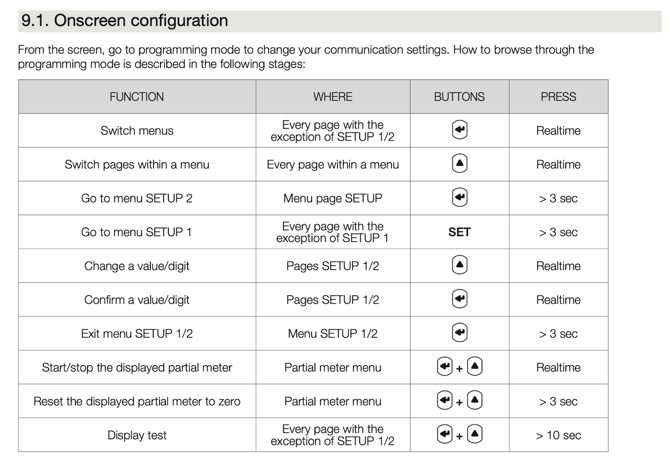
Step 1: Configure the Ethernet Settings for the Socomec E48 kWh Meter
Follow these steps to set up the Ethernet connection:
-
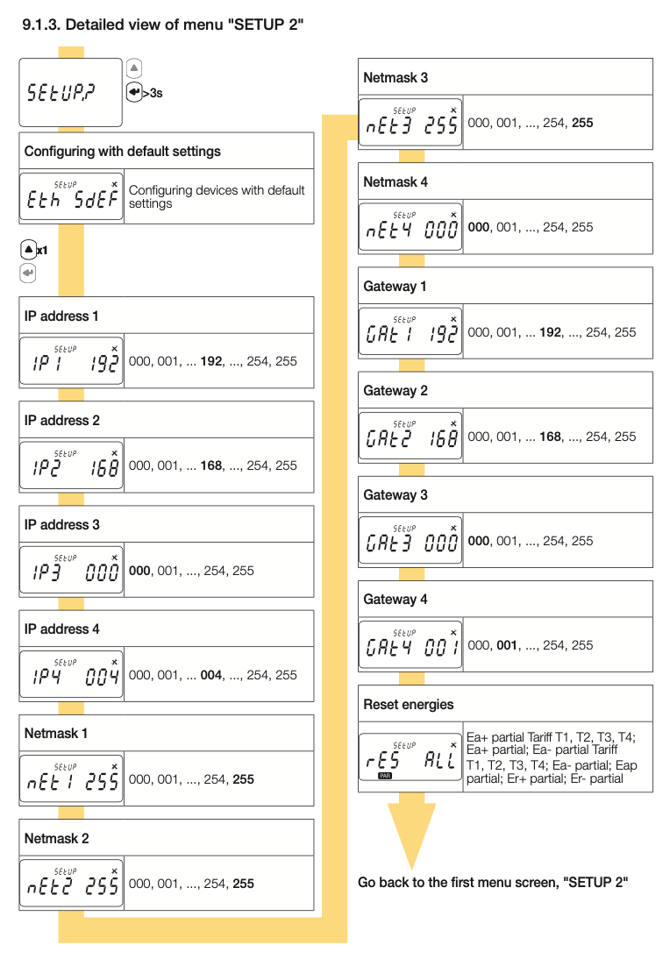
Access Setup:
Navigate to “SETUP 2” on the kWh meter display by pressing the “↤” button for 3 seconds. -
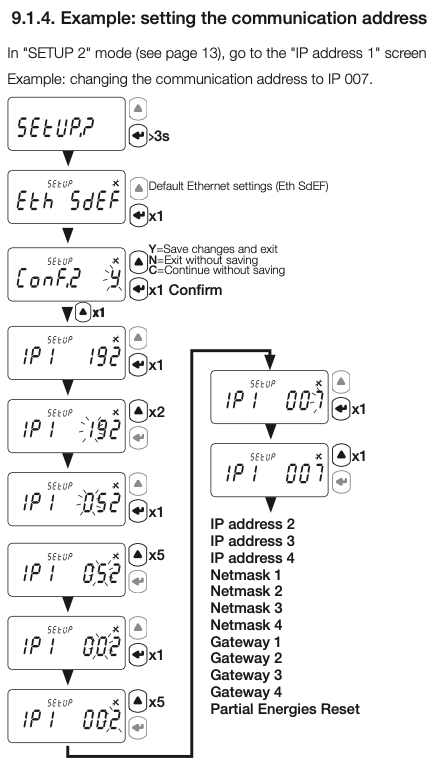
Set the IP Address:
-
192.168.25.10→ kWh meter measuring the main connection -
192.168.25.11→ next kWh meter -
192.168.25.12→ subsequent kWh meter -
…and so on for additional meters
-
-
Set the Subnet Mask:
255.255.255.0 -
Set the Gateway:
192.168.25.1 -
Save the Settings:
-
Press the “↤” button for 3 seconds to enable saving.
-
Press the “↤” button briefly and confirm by selecting “Y” (Yes).
-
-
Default Settings Used by the Meter:
-
Unit ID: 5
-
Port Number: 502 (Modbus TCP)
-
Testing
After configuration, Maxem can verify whether the energy controller successfully communicates with the Socomec E48 kWh meter.
If communication between the Socomec E48 kWh meter and the energy controller is not successfully established, repeat the steps from section Configuration Steps
Note: This configuration must be performed by an installer who is experienced in configuring a Socomec E48 kWh meter, using the Socomec E48 kWh meter installation manual as a guideline.
Manufacturer Manuals
Download the manufacturers manuals here