Step by step how to publish my charging station(s):
-
Go to ‘Locations’ in the left menu.
-
Click on the ‘pen’ icon in the right bottom corner of the location tile you would like to edit. Or you can click on the location tile and then go to 'location settings' in the left menu.
-
Once you did this an overlay will open with the details of the location. The overlay has a couple of tabs.
-
You are now in the details tab of the location. To edit the information on a tab, you have to click on the ‘pen’ icon on the top left side of the tab. Once clicked the input fields are enabled and allow you to edit the details.
-
You can publish the charging stations at this location on public charging maps by checking the box under "Publish settings."
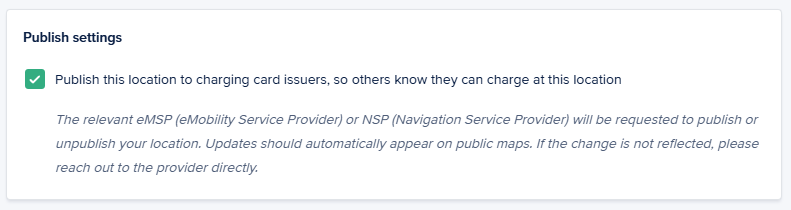
- If you want to unpublish your charging stations repeat the steps, but deselect the checkbox for publishing the charging station. Keep in mind that it can take several days to a week to process the removal of charging stations.
FAQ
I still see my charging station on google maps and I want to remove it.
-
To be able to do this you need to have a google account.
-
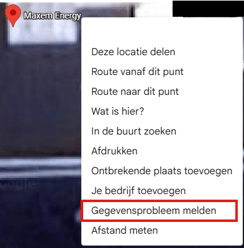
Right click on the charging station in google maps.
-
Choose ‘report a problem’ or ‘send feedback’.
-
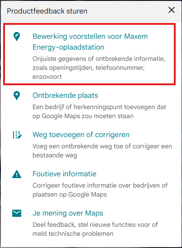
Choose the option ‘Suggest and edit’ or a similar term.
-
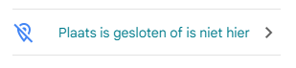
Then choose ‘Location is closed or is not here’.
-
Choose ‘This place does not exist’ or ‘other’ and submit.